Native macOS 15+ · Apple Silicon · AppKit + Ghostty
The native macOS workspace built for CLI AI agents.
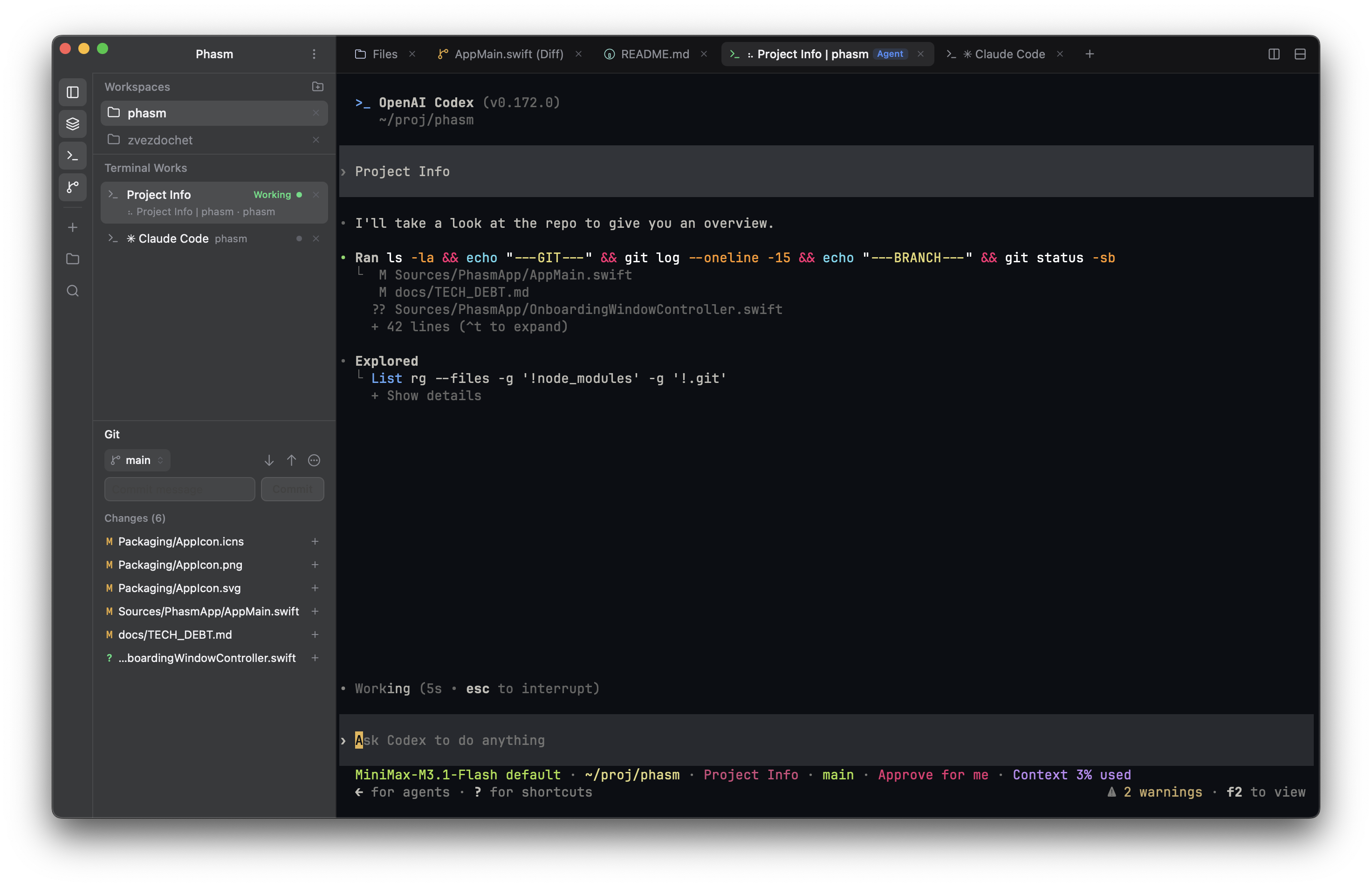
Pure AppKit and Swift speed with zero Electron overhead. Run multiple repositories side by side, drive Claude Code, Codex, and Antigravity inside GPU-accelerated Ghostty terminals, and navigate every file, diff, and prompt from the keyboard.
Everything in Phasm is engineered around four fundamentals: native performance, instant keyboard navigation, multi-repo workspaces, and first-class CLI agent integration.
Lightweight & Native
Pure macOS 15+ AppKit and Swift. No Electron, no Chromium, no WebView tax. Embedded GPU-accelerated Ghostty terminal, STTextView with Tree-sitter syntax highlighting, instant startup, and automatic LRU cleanup of old unmodified tabs.
Effortless Navigation
Stay on the keyboard with Quick Open (⌘⇧O), Recent & Agent Files (⌘E), ripgrep Find in Files (⌘⇧F), Command Palette (⌘⇧P), flexible split panes (⌘\, ⌘⇧\), and ⌘J to jump straight to the next terminal waiting for input.
Multiple Workspaces
Keep multiple repositories open side by side in a single window. Each workspace maintains its own file tree, Git state, terminals, and .phasm.toml overrides, while one unified sidebar tracks every running agent.
CLI AI Agent Integration
Native hooks for Claude Code, Codex, and Antigravity, plus a built-in preset for OpenCode and custom CLI agents. Live status badges, ⌘⇧L Send to Terminal, inline diff review comments, and badges on agent-edited files.
Multi-Workspace
Multiple Workspaces & Live Terminal Sidebar
Switch between repositories without juggling windows. Phasm groups every project's files, Git status, and terminal sessions in one place so you can supervise parallel agent runs at a glance.
Isolated per-repo state — dedicated file tree, Git branch/diff status, terminals, and .phasm.toml settings.
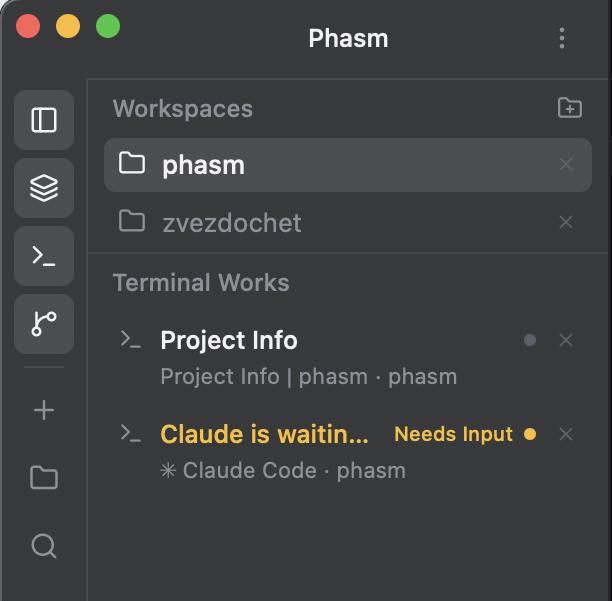
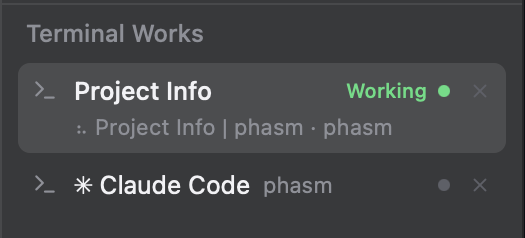
Unified live sidebar — monitor every running terminal and agent task across all open workspaces.
Instant attention jump — press ⌘J from anywhere to focus the next terminal waiting for approval or input.
Navigation & Layout
Unified Tab Space & Fast Navigation
Code editors, Git diffs, and Ghostty terminals live in one unified tab bar. Split panes vertically or horizontally, drag tabs across panes, and let automatic LRU cleanup keep memory and tab clutter low.
Quick Open⌘⇧O
Recent & Agent Files⌘E
Find in Files (rg)⌘⇧F
Command Palette⌘⇧P
Next Input Terminal⌘J
Send to Terminal⌘⇧L
Split Panes⌘\⌘⇧\
Toggle Sidebars⌘1⌘2⌘9
CLI Agents
CLI Agent Hooks & Context Sharing
Phasm hooks directly into your CLI agents to surface real-time task state and highlight files modified by an agent—no proprietary cloud wrapper required.
WorkingNeeds InputDoneErrorIdle
Send to Terminal (⌘⇧L) — pass any selection, diff, file, or Git entry directly as @path:L10 or @path.
Agent-edited file badges — spot modified files immediately in the file tree and Recent Files (⌘E).
Claude CodeCodexAntigravityOpenCode
Git & Review
Git & Inline Code Review for Agents
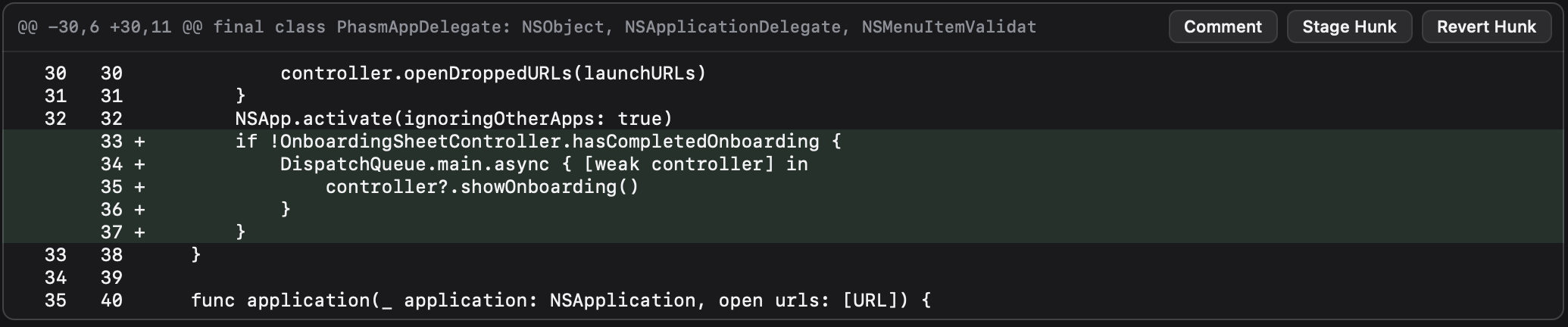
Review diffs, stage or revert individual hunks, stash changes, switch branches, and fetch/pull/push right from the Git sidebar. Click any diff line to write an inline review comment and dispatch it directly to your active agent terminal with exact file and line context.
Get Started
Install in seconds, configure in TOML.
Requires macOS 15.0+ on Apple Silicon (arm64). Optional rg (ripgrep) enables Find in Files.